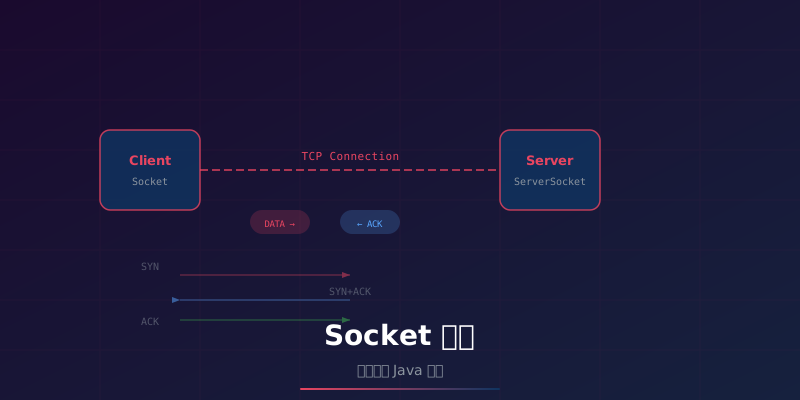
Socket 是网络通讯的基础接口,无论是 Web 服务、即时通讯还是分布式系统,都离不开 Socket。本文将从 TCP/UDP 原理出发,深入 Java Socket 编程的三种 IO 模型,并通过实战代码演示构建简易聊天室。
一、Socket 基础
1.1 什么是 Socket
Socket(套接字)是网络通讯的端点,可以把 Socket 想象成电话插座——有了它,两台电脑才能建立连接、互相通话。
1
2
3
4
5
6
7
8
9
10
11
12
13
14
15
16
17
| Socket 在网络模型中的位置:
┌─────────────────────────────┐
│ 应用层 │
│ HTTP / FTP / SMTP │
├─────────────────────────────┤
│ ★ Socket(编程接口)★ │
├─────────────────────────────┤
│ 传输层 │
│ TCP / UDP │
├─────────────────────────────┤
│ 网络层 │
│ IP / ICMP │
├─────────────────────────────┤
│ 链路层 │
│ Ethernet / Wi-Fi │
└─────────────────────────────┘
|
Socket 是应用层与传输层之间的桥梁,让程序员不必关心底层网络细节。
1.2 Socket 通讯流程
1
2
3
4
5
6
7
8
9
10
11
12
13
14
15
16
| TCP 通讯流程:
客户端 服务器
| |
| 1. 创建 Socket | 1. 创建 ServerSocket
| | 2. bind() 绑定端口
| | 3. listen() 监听
| |
| 2. connect() ─────────────────> | 4. accept() 接受连接
| 三次握手 |
| |
| 3. send() ────────────────────> | 5. recv() 接收数据
| <──────────────────────────── 6. | send() 发送数据
| |
| 4. close() ───────────────────> | 7. close()
| 四次挥手 |
|
二、TCP 通讯原理
2.1 三次握手
TCP 连接建立需要三次握手,确保双方都准备好:
1
2
3
4
5
6
7
8
9
10
11
12
| 客户端 服务器
| |
| SYN, seq=x ---> | CLOSED → LISTEN
| (我想连接你) |
| |
| <--- SYN+ACK, seq=y, ack=x+1 | SYN_RCVD
| (好的,我也准备好了) |
| |
| ACK, seq=x+1, ack=y+1 ---> | ESTABLISHED
| (确认,开始传输) |
| |
| ══════ 连接建立 ════════════> |
|
为什么是三次而不是两次?
- 防止已失效的连接请求到达服务器,导致错误建立连接
- 双方都需要确认对方的接收和发送能力正常
2.2 四次挥手
TCP 连接释放需要四次挥手,因为 TCP 是全双工的:
1
2
3
4
5
6
7
8
9
10
11
12
13
| 客户端 服务器
| |
| FIN, seq=u ---> |
| (我发完了) |
| |
| <--- ACK, ack=u+1 | 进入 CLOSE_WAIT
| (收到,但我可能还有数据) |
| |
| <--- FIN, seq=w |
| (我也发完了) |
| |
| ACK, ack=w+1 ---> | 进入 TIME_WAIT
| (好的,再见) | 等待 2MSL 后关闭
|
TIME_WAIT 的作用:
- 确保最后一个 ACK 能到达服务器
- 让旧连接的数据包在网络中消亡,避免影响新连接
2.3 TCP 报文结构
1
2
3
4
5
6
7
8
9
10
11
12
13
14
15
16
17
18
| ┌──────────────────────────────────────────────────┐
│ 源端口 (16bit) │ 目的端口 (16bit) │
├──────────────────────────────────────────────────┤
│ 序列号 (32bit) │
├──────────────────────────────────────────────────┤
│ 确认号 (32bit) │
├──────┬───────┬───────────────────────────────────┤
│ 数据 │ 保留 │ 标志位 │
│ 偏移 │ │ URG ACK PSH RST SYN FIN │
├──────┴───────┴───────────────────────────────────┤
│ 窗口大小 (16bit) │
├──────────────────────────────────────────────────┤
│ 校验和 (16bit) │ 紧急指针 (16bit) │
├──────────────────────────────────────────────────┤
│ 选项(可选) │
├──────────────────────────────────────────────────┤
│ 数据 │
└──────────────────────────────────────────────────┘
|
标志位含义:
| 标志位 |
含义 |
| SYN |
同步序列号,建立连接 |
| ACK |
确认号有效 |
| FIN |
发送方完成数据发送 |
| RST |
重置连接 |
| PSH |
接收方应尽快将数据交给应用层 |
| URG |
紧急数据 |
2.4 滑动窗口与流量控制
1
2
3
4
5
6
7
8
9
| 发送窗口示意:
已确认 可发送 不能发送
◄──────►◄────────►◄──────────►
████████░░░░░░░░░░░░░░░░░░░░░░
◄─── 窗口大小 ───►
发送方根据接收方的 Window 字段调整发送速率
→ 避免发送过快导致接收方缓冲区溢出
|
2.5 拥塞控制
1
2
3
4
5
6
7
8
9
10
11
12
13
14
15
16
| 拥塞窗口变化示意:
拥塞窗口
▲
│ ╱╲
│ ╱ ╲
│ ╱ ╲
│ ╱ ╲
│ ╱ ╲
│ ╱ ╲
│ ╱ ╲
│ ╱ ╲
│ ╱ ╲
│╱ ╲
└──────────────────────► 时间
慢启动 拥塞避免 快重传/快恢复
|
| 阶段 |
算法 |
行为 |
| 慢启动 |
cwnd 指数增长 |
从 1 MSS 开始,每 RTT 翻倍 |
| 拥塞避免 |
cwnd 线性增长 |
达到阈值后每 RTT +1 MSS |
| 快重传 |
立即重传 |
收到 3 个重复 ACK 立即重传 |
| 快恢复 |
ssthresh 减半 |
丢包后阈值减半,cwnd 从新阈值开始 |
三、TCP vs UDP
| 特性 |
TCP |
UDP |
| 连接方式 |
面向连接(三次握手) |
无连接 |
| 可靠性 |
可靠(重传、确认、排序) |
不可靠(尽最大努力交付) |
| 传输方式 |
字节流 |
数据报(有消息边界) |
| 有序性 |
保证顺序 |
不保证顺序 |
| 速度 |
较慢(开销大) |
快(开销小) |
| 流量控制 |
有(滑动窗口) |
无 |
| 拥塞控制 |
有 |
无 |
| 首部大小 |
20-60 字节 |
8 字节 |
| 适用场景 |
文件传输、HTTP、邮件 |
DNS、视频流、游戏、IoT |
UDP 适用场景:
1
2
3
4
| DNS 查询:一问一答,丢包重发即可
视频直播:实时性优先,丢几帧不影响观看
在线游戏:状态快速更新,旧数据无意义
IoT 传感器:小数据量,低功耗要求
|
四、粘包与拆包
4.1 什么是粘包/拆包
TCP 是字节流协议,没有消息边界。发送方的多次 send() 可能被合并或拆分:
1
2
3
4
5
6
7
8
9
| 发送方:
send("Hello") → 第一次发送
send("World") → 第二次发送
接收方可能收到:
情况1(正常): "Hello" "World"
情况2(粘包): "HelloWorld" ← 两次发送合并
情况3(拆包): "Hel" "loWorld" ← 第一次被拆分
情况4(混合): "He" "lloWorld" ← 粘包+拆包
|
4.2 解决方案
| 方案 |
原理 |
优点 |
缺点 |
| 固定长度 |
每条消息固定 N 字节,不足补零 |
实现简单 |
浪费带宽 |
| 分隔符 |
用特殊字符分隔消息(如 \n) |
简单直观 |
消息内容不能包含分隔符 |
| Length 字段 |
消息头包含消息长度 |
灵活高效 |
需要定义协议 |
| TLV 格式 |
Type + Length + Value |
可扩展性强 |
解析稍复杂 |
Length 字段方案(最常用):
1
2
3
4
5
6
7
8
9
10
| 消息格式:
┌──────────┬──────────┬──────────┐
│ 消息类型 │ 消息长度 │ 消息内容 │
│ 4 bytes │ 4 bytes │ N bytes │
└──────────┴──────────┴──────────┘
接收流程:
1. 先读取 8 字节头
2. 解析出消息长度 N
3. 循环读取直到收到 N 字节内容
|
五、Java Socket 编程
5.1 BIO(阻塞 IO)
BIO 是最简单的 Socket 编程模型,一个连接一个线程:
服务端:
1
2
3
4
5
6
7
8
9
10
11
12
13
14
15
16
17
18
19
20
21
22
23
24
25
26
27
28
29
30
| import java.io.*;
import java.net.*;
public class BioServer {
public static void main(String[] args) throws IOException {
ServerSocket serverSocket = new ServerSocket(8080);
System.out.println("服务器启动,监听端口 8080");
while (true) {
Socket socket = serverSocket.accept();
new Thread(() -> handleClient(socket)).start();
}
}
private static void handleClient(Socket socket) {
try (BufferedReader in = new BufferedReader(
new InputStreamReader(socket.getInputStream()));
PrintWriter out = new PrintWriter(
socket.getOutputStream(), true)) {
String line;
while ((line = in.readLine()) != null) {
System.out.println("收到: " + line);
out.println("Echo: " + line);
}
} catch (IOException e) {
e.printStackTrace();
}
}
}
|
客户端:
1
2
3
4
5
6
7
8
9
10
11
12
13
14
15
16
17
18
19
20
21
22
23
| import java.io.*;
import java.net.*;
import java.util.Scanner;
public class BioClient {
public static void main(String[] args) throws IOException {
Socket socket = new Socket("localhost", 8080);
try (BufferedReader in = new BufferedReader(
new InputStreamReader(socket.getInputStream()));
PrintWriter out = new PrintWriter(
socket.getOutputStream(), true);
Scanner scanner = new Scanner(System.in)) {
System.out.println("连接成功,输入消息:");
while (scanner.hasNextLine()) {
String msg = scanner.nextLine();
out.println(msg);
System.out.println("服务器: " + in.readLine());
}
}
}
}
|
5.2 NIO(非阻塞 IO)
NIO 使用 Channel、Buffer、Selector 三大核心组件,一个线程管理多个连接:
1
2
3
4
5
6
7
8
9
10
11
12
13
14
15
16
17
18
19
20
21
22
23
24
25
26
27
28
29
30
31
32
33
34
35
36
37
38
39
40
41
42
43
44
45
46
47
48
49
50
51
52
53
54
| import java.io.*;
import java.net.*;
import java.nio.*;
import java.nio.channels.*;
import java.util.*;
public class NioServer {
public static void main(String[] args) throws IOException {
Selector selector = Selector.open();
ServerSocketChannel serverChannel = ServerSocketChannel.open();
serverChannel.bind(new InetSocketAddress(8080));
serverChannel.configureBlocking(false);
serverChannel.register(selector, SelectionKey.OP_ACCEPT);
System.out.println("NIO 服务器启动");
while (true) {
selector.select();
Set<SelectionKey> keys = selector.selectedKeys();
Iterator<SelectionKey> iter = keys.iterator();
while (iter.hasNext()) {
SelectionKey key = iter.next();
iter.remove();
if (key.isAcceptable()) {
SocketChannel client = serverChannel.accept();
client.configureBlocking(false);
client.register(selector, SelectionKey.OP_READ);
System.out.println("新连接: " + client.getRemoteAddress());
} else if (key.isReadable()) {
SocketChannel client = (SocketChannel) key.channel();
ByteBuffer buffer = ByteBuffer.allocate(1024);
int bytesRead = client.read(buffer);
if (bytesRead == -1) {
client.close();
} else {
buffer.flip();
byte[] data = new byte[buffer.remaining()];
buffer.get(data);
String msg = new String(data);
System.out.println("收到: " + msg.trim());
client.write(ByteBuffer.wrap(("Echo: " + msg).getBytes()));
}
}
}
}
}
}
|
5.3 AIO(异步 IO)
AIO 基于回调机制,操作系统完成 IO 后通知应用:
1
2
3
4
5
6
7
8
9
10
11
12
13
14
15
16
17
18
19
20
21
22
23
24
25
26
27
28
29
30
31
32
33
34
35
36
37
38
39
40
41
42
43
44
45
46
47
48
49
50
| import java.io.*;
import java.net.*;
import java.nio.*;
import java.nio.channels.*;
import java.util.concurrent.*;
public class AioServer {
public static void main(String[] args) throws IOException {
AsynchronousServerSocketChannel server =
AsynchronousServerSocketChannel.open()
.bind(new InetSocketAddress(8080));
System.out.println("AIO 服务器启动");
server.accept(null, new CompletionHandler<AsynchronousSocketChannel, Void>() {
@Override
public void completed(AsynchronousSocketChannel client, Void att) {
server.accept(null, this);
ByteBuffer buffer = ByteBuffer.allocate(1024);
client.read(buffer, buffer, new CompletionHandler<Integer, ByteBuffer>() {
@Override
public void completed(Integer bytesRead, ByteBuffer buffer) {
buffer.flip();
byte[] data = new byte[buffer.remaining()];
buffer.get(data);
String msg = new String(data);
System.out.println("收到: " + msg.trim());
client.write(ByteBuffer.wrap(
("Echo: " + msg).getBytes()));
}
@Override
public void failed(Throwable exc, ByteBuffer buffer) {
exc.printStackTrace();
}
});
}
@Override
public void failed(Throwable exc, Void att) {
exc.printStackTrace();
}
});
new CountDownLatch(1).await();
}
}
|
5.4 BIO vs NIO vs AIO 对比
| 特性 |
BIO |
NIO |
AIO |
| IO 模型 |
同步阻塞 |
同步非阻塞 |
异步非阻塞 |
| 线程模型 |
一连接一线程 |
一线程多连接(Selector) |
回调/Future |
| 编程复杂度 |
低 |
中 |
高 |
| 适用连接数 |
少量 |
大量 |
大量 |
| 数据处理 |
同步读写 |
Buffer 操作 |
回调处理 |
| 吞吐量 |
低 |
高 |
高 |
| 典型应用 |
简单工具 |
Tomcat、Netty |
Windows IOCP |
六、实战:简易聊天室
6.1 消息协议
1
2
3
4
5
6
| {
"type": "JOIN",
"sender": "Alice",
"content": "",
"timestamp": 1719312000000
}
|
1
2
3
4
5
6
| {
"type": "CHAT",
"sender": "Alice",
"content": "Hello everyone!",
"timestamp": 1719312001000
}
|
6.2 服务端代码
1
2
3
4
5
6
7
8
9
10
11
12
13
14
15
16
17
18
19
20
21
22
23
24
25
26
27
28
29
30
31
32
33
34
35
36
37
38
39
40
41
42
43
44
45
46
47
48
49
50
51
| import java.io.*;
import java.net.*;
import java.util.*;
import java.util.concurrent.*;
public class ChatServer {
private static final Set<PrintWriter> clients =
ConcurrentHashMap.newKeySet();
private static final ExecutorService pool =
Executors.newFixedThreadPool(20);
public static void main(String[] args) throws IOException {
ServerSocket serverSocket = new ServerSocket(9090);
System.out.println("聊天室服务端启动,端口 9090");
while (true) {
Socket socket = serverSocket.accept();
pool.execute(() -> handleClient(socket));
}
}
private static void handleClient(Socket socket) {
try (BufferedReader in = new BufferedReader(
new InputStreamReader(socket.getInputStream()));
PrintWriter out = new PrintWriter(
socket.getOutputStream(), true)) {
clients.add(out);
System.out.println("新用户加入,当前在线: " + clients.size());
String line;
while ((line = in.readLine()) != null) {
System.out.println("收到: " + line);
broadcast(line, out);
}
} catch (IOException e) {
} finally {
clients.remove(null);
System.out.println("用户离开,当前在线: " + clients.size());
}
}
private static void broadcast(String message, PrintWriter sender) {
for (PrintWriter client : clients) {
if (client != sender) {
client.println(message);
}
}
}
}
|
6.3 客户端代码
1
2
3
4
5
6
7
8
9
10
11
12
13
14
15
16
17
18
19
20
21
22
23
24
25
26
27
28
29
30
31
32
33
| import java.io.*;
import java.net.*;
import java.util.Scanner;
public class ChatClient {
public static void main(String[] args) throws IOException {
Socket socket = new Socket("localhost", 9090);
System.out.println("连接聊天室成功!");
new Thread(() -> {
try (BufferedReader in = new BufferedReader(
new InputStreamReader(socket.getInputStream()))) {
String line;
while ((line = in.readLine()) != null) {
System.out.println(line);
}
} catch (IOException e) {
System.out.println("连接断开");
}
}).start();
try (PrintWriter out = new PrintWriter(
socket.getOutputStream(), true);
Scanner scanner = new Scanner(System.in)) {
while (scanner.hasNextLine()) {
out.println(scanner.nextLine());
}
}
}
}
|
6.4 运行效果
1
2
3
4
5
6
7
8
9
10
11
12
13
14
15
16
| # 终端1 - 启动服务端
$ java ChatServer
聊天室服务端启动,端口 9090
新用户加入,当前在线: 1
新用户加入,当前在线: 2
收到: Alice: Hello!
# 终端2 - 客户端A
$ java ChatClient
连接聊天室成功!
Bob: 你好 Alice
# 终端3 - 客户端B
$ java ChatClient
连接聊天室成功!
Alice: Hello!
|
七、生产环境注意事项
7.1 连接池管理
1
2
3
4
5
6
7
8
|
HikariConfig config = new HikariConfig();
config.setJdbcUrl("jdbc:mysql://localhost:3306/db");
config.setMaximumPoolSize(20);
config.setMinimumIdle(5);
config.setConnectionTimeout(30000);
config.setIdleTimeout(600000);
config.setMaxLifetime(1800000);
|
7.2 超时设置
| 参数 |
说明 |
推荐值 |
| connectTimeout |
建立连接超时 |
5-10 秒 |
| socketTimeout / soTimeout |
读写超时 |
30-60 秒 |
| keepAliveTime |
空闲检测间隔 |
60 秒 |
1
2
3
4
| Socket socket = new Socket();
socket.connect(new InetSocketAddress(host, port), 5000);
socket.setSoTimeout(30000);
socket.setKeepAlive(true);
|
7.3 心跳机制与断线重连
1
2
3
4
5
6
7
8
9
10
11
12
13
| 心跳检测流程:
客户端 服务器
| --- PING ---------------> |
| <--- PONG --------------- | ← 超时未收到 PONG 则判定断开
| |
| (30秒后) |
| --- PING ---------------> |
| <--- PONG --------------- |
| |
| (网络断开,PING 无响应) |
| 等待超时 → 触发重连 |
| --- 重新连接 ────────────> |
|
7.4 常见问题排查
| 问题 |
原因 |
解决方案 |
| Connection refused |
服务端未启动或端口被占用 |
检查服务端状态和端口 |
| Connection timeout |
网络不通或防火墙 |
检查网络连通性 |
| Too many open files |
文件描述符耗尽 |
调整 ulimit 或检查连接泄漏 |
| Broken pipe |
对端已关闭连接 |
检查异常处理和重连逻辑 |
| Address already in use |
端口未释放(TIME_WAIT) |
设置 SO_REUSEADDR |
总结
Socket 是网络通讯的基石,理解 TCP 三次握手、四次挥手、滑动窗口等原理,能帮助我们写出更健壮的网络程序。
核心要点:
- TCP vs UDP:TCP 可靠但慢,UDP 快但不可靠,按场景选择
- 粘包拆包:TCP 是字节流,需要自定义协议(Length 字段最常用)
- BIO/NIO/AIO:少量连接用 BIO,大量连接用 NIO,追求异步用 AIO
- 生产实践:连接池管理、超时设置、心跳机制缺一不可
掌握 Socket 编程,是理解分布式系统、微服务通讯、消息中间件等高级话题的基础。